Securing Cloud Credentials in Public Repositories: Lessons from the CISA GitHub Leak
Overview
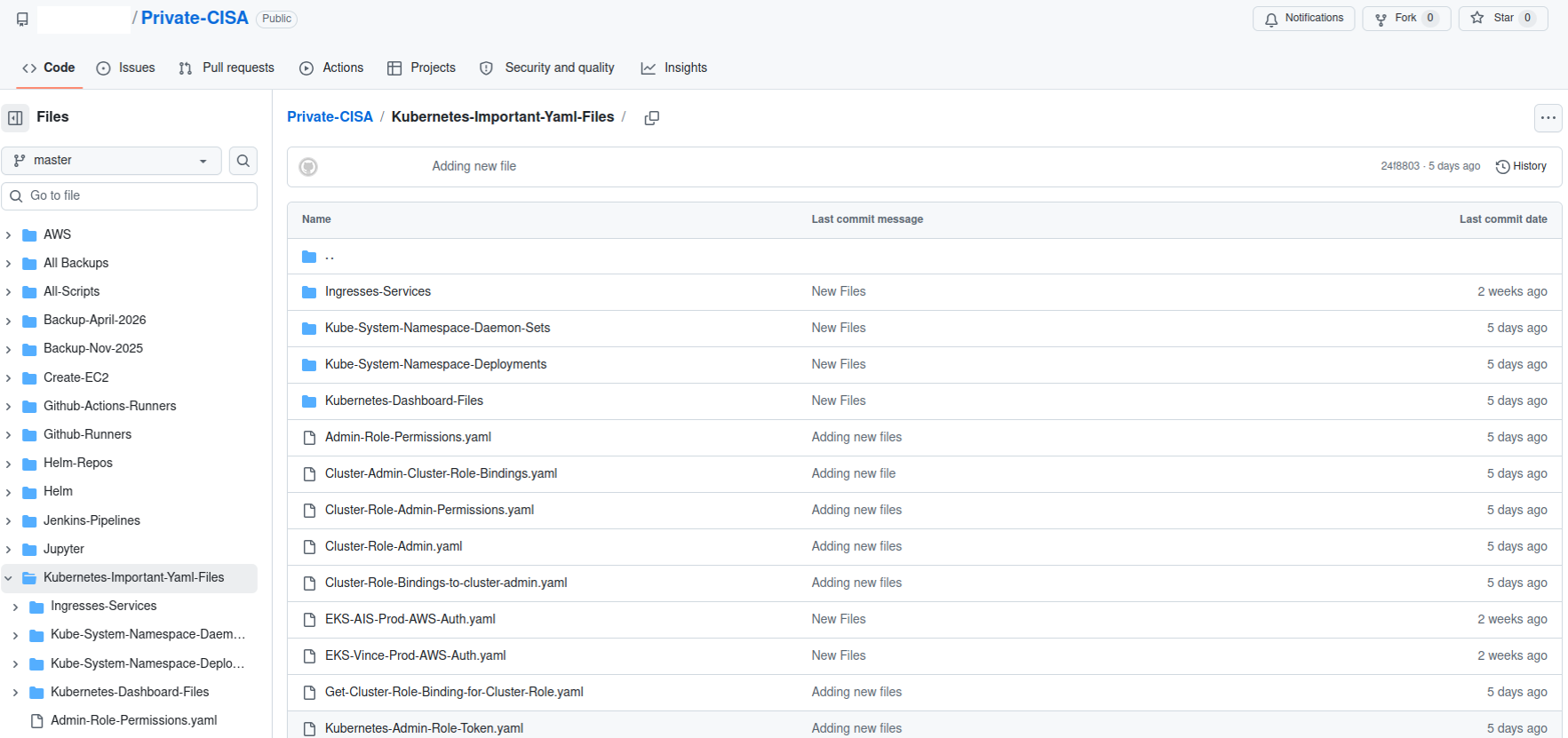
In May 2023, the Cybersecurity and Infrastructure Security Agency (CISA) suffered a serious data exposure when a contractor publicly posted a GitHub repository containing highly privileged AWS GovCloud access keys, plaintext passwords, and internal development process details. The leak—discovered by GitGuardian's automated scanning—was one of the most severe government data breaches in recent memory, highlighting how even well‑funded agencies can fall victim to common security oversights. This tutorial dissects the incident, extracts actionable lessons, and provides a step‑by‑step guide to prevent similar leaks in your own projects. You'll learn how to properly manage secrets, configure GitHub security features, and establish secure coding practices that protect cloud infrastructure.

Prerequisites
Before diving in, ensure you have:
- Basic understanding of Git and GitHub (commits, branches, pull requests).
- Familiarity with cloud platforms (especially AWS) and Identity and Access Management (IAM).
- Access to a terminal with Git installed.
- An AWS account (for testing secrets management steps) or a similar cloud provider.
Step‑by‑Step Guide to Preventing Secrets Leaks
1. Enable GitHub's Secret Scanning (and Do Not Disable It)
The CISA administrator had disabled GitHub's automatic secret detection—a critical mistake. GitHub's built‑in scanning checks for patterns like AWS keys, SSH keys, and other credentials.
- Go to your repository Settings → Security & analysis.
- Ensure Secret scanning is enabled for both push and pull events.
- Never override the default setting that prevents publishing secrets. If your workflow requires temporary secrets, use secrets management tools instead.
2. Use a Comprehensive `.gitignore` File
The leaked repository contained files like importantAWStokens and AWS-Workspace-Firefox-Passwords.csv. These should never have been tracked by Git. A well‑crafted `.gitignore` prevents accidental commits.
# Example .gitignore for AWS credentials and sensitive files
*.csv
*.pem
*.key
*.env
aws-credentials*
secrets/
Add patterns for any file that might contain secrets (e.g., *.credentials, *passwords*, *tokens*). Place the `.gitignore` in the repository root and commit it before adding any sensitive files.
3. Leverage Environment Variables and Configuration Tools
Hard‑coding secrets into files is the root cause of most leaks. Instead, use environment variables or a configuration loader like dotenv (Python) or config (Node.js). The CISA leak included a CSV of plaintext passwords for dozens of internal systems—a practice that should never happen.
- Store secrets in environment variables on your local machine or CI/CD system.
- Use a
.envfile for local development, but add.envto `.gitignore` immediately. - For production, inject secrets via cloud provider parameter stores (e.g., AWS Systems Manager Parameter Store) or secrets managers.
4. Adopt a Secrets Management Service
Services like AWS Secrets Manager, HashiCorp Vault, or Azure Key Vault provide secure storage, automatic rotation, and fine‑grained access control. The exposed AWS GovCloud keys in the incident could have been rotated automatically if stored in Secrets Manager.
# Example: Retrieving an AWS secret from Secrets Manager using AWS CLI
aws secretsmanager get-secret-value --secret-id my-app-credentials --query SecretString --output text
Integrate secrets retrieval into your application startup—never embed the secret in code or configuration files.
5. Audit Your Git History for Secrets
The CISA repository was used as a scratchpad, leading to a long history of leaked credentials. Even if you remove a file, its content remains in Git history. Use tools like git filter‑branch or BFG Repo‑Cleaner to purge sensitive data.
# Using BFG to remove a file containing secrets from history
java -jar bfg.jar --delete-files importantAWStokens.git
After cleanup, force push to the repository and notify all collaborators to rebase their work.
6. Implement Pre‑commit Hooks
Automate secret detection before commits reach GitHub. Use tools like git‑secrets (from AWS Labs) or talisman (from ThoughtWorks).
# Install git-secrets
brew install git-secrets  # macOS
git secrets --register-aws
# This will block commits containing AWS access keys
Pre‑commit hooks run locally and abort the commit if a potential secret is detected.
7. Regularly Scan Public Repositories for Exposed Secrets
Even with all precautions, mistakes happen. GitGuardian's automated scanning is the benchmark—consider similar continuous monitoring for your organization. Many tools (e.g., TruffleHog, GitLeaks) are open‑source and can be integrated into CI/CD.
# Run TruffleHog on a repository to find secrets in commits
trufflehog git https://github.com/your-org/your-repo --only-verified
Common Mistakes to Avoid
- Disabling GitHub secret scanning: The CISA admin turned off this safety net—never do this.
- Using the repository as a scratchpad: A single repository that mixes work in progress with production secrets is a disaster. Use separate, private repositories for sensitive work, and never commit temporary files.
- Storing plaintext credentials in CSV or other files: Passwords should never be in plaintext anywhere, least of all in a version‑controlled repository.
- Failing to rotate keys regularly: Even if a key is accidentally exposed, immediate rotation limits damage. The exposed AWS keys in the incident were reportedly still valid.
- Ignoring logs and commit history: Periodically review what you're committing—automated tools can help, but manual audits catch context‑specific issues.
Summary
The CISA GitHub leak serves as a stark reminder that security hygiene begins with the fundamentals. By enabling GitHub's secret scanning, using a robust `.gitignore`, adopting secrets management services, and auditing commit history, you can protect your cloud credentials from public exposure. The key takeaway: never treat a version control repository as a personal notebook. Automate where possible, and always assume that any committed secret will be seen by the world. Implement the steps above to build a resilient, leak‑proof workflow.